Example Screenshots
These checked-in SVGs are illustrative examples of the current CLI, HTTP/SSE, and browser voice surfaces. They are meant for README/docs previews without requiring a screenshot automation dependency.
Terminal Chat
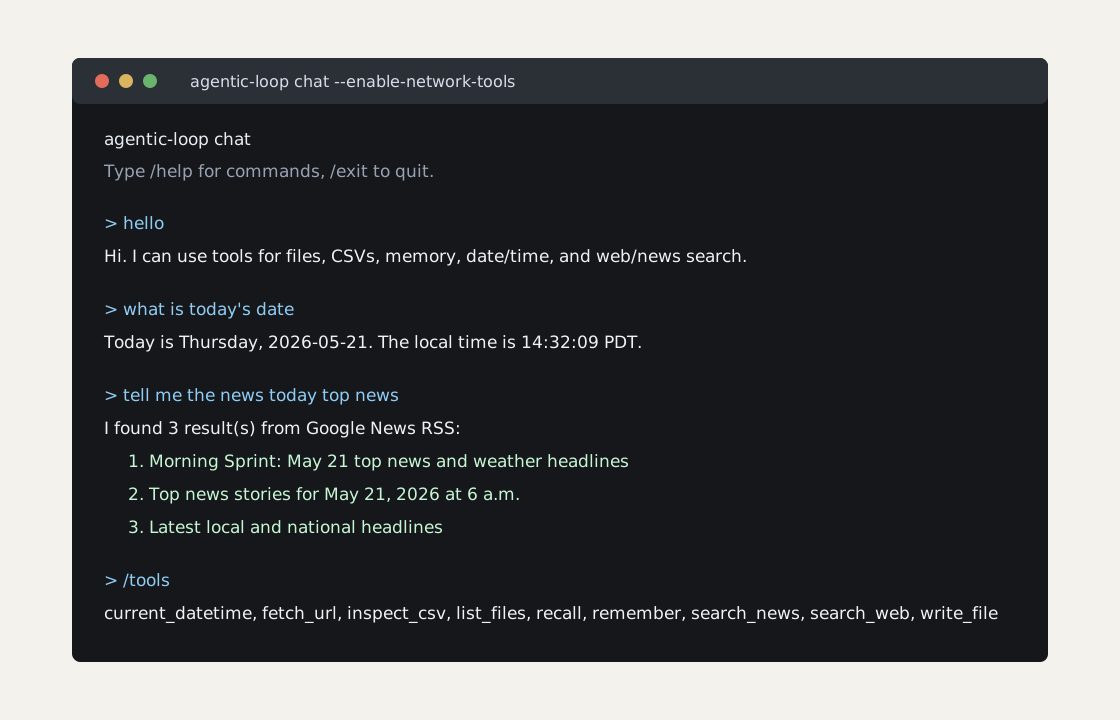
Shows continuous CLI chat with --enable-network-tools, including tool-backed
news search and current date handling.
Browser Voice Mode
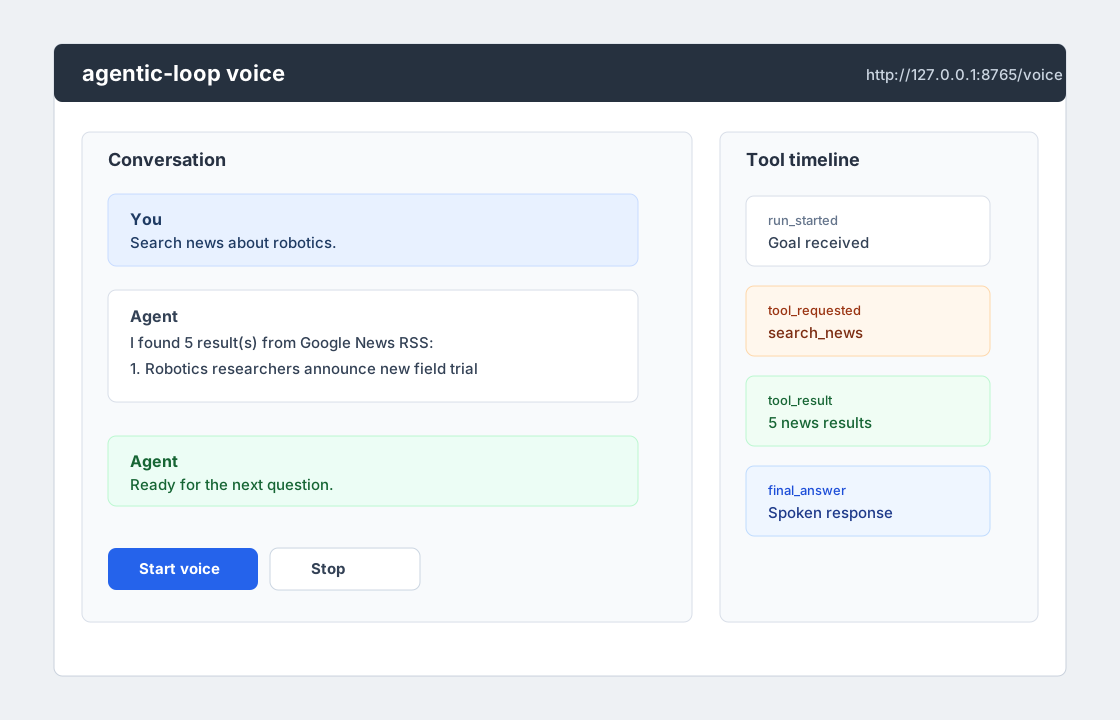
Shows the embedded /voice page shape: transcript, controls, and tool timeline
around the same /chat runtime.
Event Stream And Registries
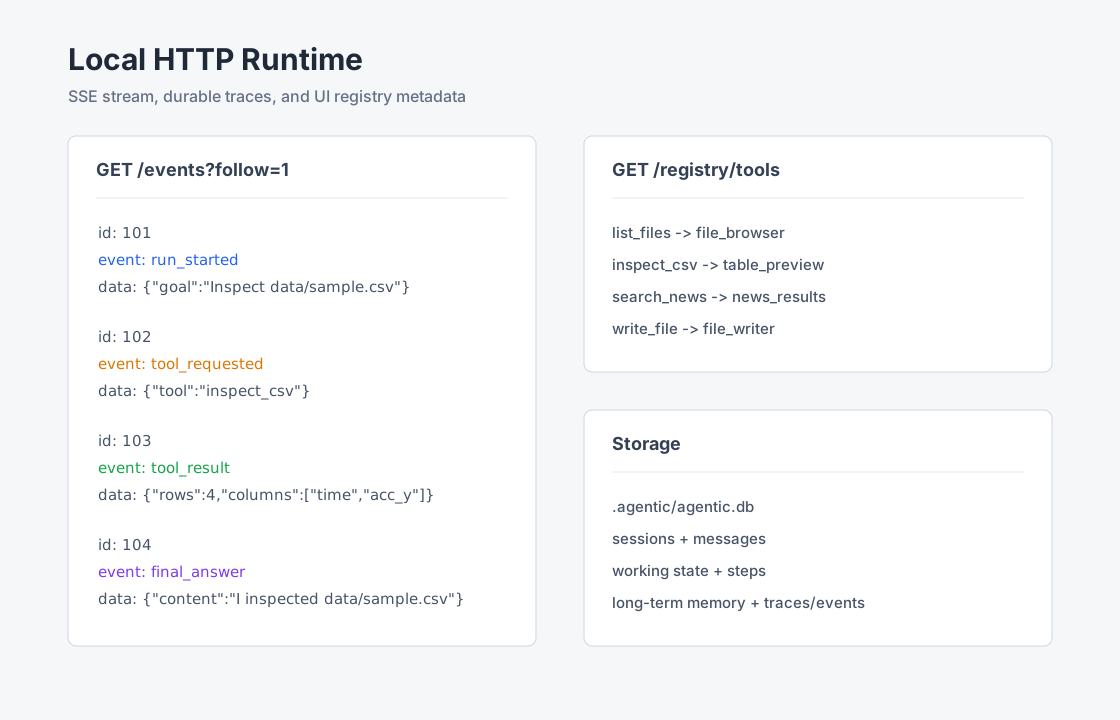
Shows the local HTTP service exposing event streams and registry metadata for a future frontend timeline.
Recreate The Flows
Run terminal chat:
python3 -m agentic_loop chat --enable-network-tools
Run the service:
python3 -m agentic_loop serve \
  --host 127.0.0.1 \
  --port 8765 \
  --enable-network-tools
Open:
http://127.0.0.1:8765/voice
Inspect event output:
curl -N "http://127.0.0.1:8765/events?follow=1&timeout=30"
curl -s http://127.0.0.1:8765/registry/tools
curl -s http://127.0.0.1:8765/registry/ui